Getting Started
How PoB Codes started, why planning mattered, and how the first art and build-viewing pieces came together.
Some of what I've written here is re-stating what I already wrote on the About page, but PoB.codes was created because I was frustrated with the lack of essential details that other tools offered. I would sometimes be using my phone or a work device and so launching PoB wasn't an option.
After working with the major LLMs, mostly Codex and Claude, on a few smaller projects, I was not entirely sure how capable they would be of building a major web app. I had used them to build other websites, a small game, and some utilities, but a web app was a much bigger project. Codex 5.4 released in early March 2025 and seemed quite capable, so I decided to give pob.codes a try.
In my professional career, I have found that the most successful projects are the ones with a healthy amount of discovery and planning up front. I don't mean planning every feature or the entire roadmap, but thinking at least three to six months ahead about what the product should become, who will use it, what they want to get out of it, and ensuring that the system is designed for the expected scale. I'm comfortable with most of that, but complex system isn't my area of expertise -- normally I'd have a team of engineers to help with that. Since I don't have that available here, I spent the first week of pob.codes working mostly with Codex (and sometimes Claude) to plan things out.
Beyond providing a detailed Path of Building style view of a character, I knew the following things were important both to me and to everyone else I expected to use the site:
- Fast page load times
- A responsive layout for a wide variety of mobile devices
- A UI with detailed information that still felt easy to read
- No ads if at all possible
- A site that was easy to update quickly at league launch
- Features that make it easy to improve a build
Given that, Codex helped recommend a tech stack:
- Next.js
- React
- TypeScript
- Cloudflare's deployment stack: KV, R2, Worker Logs, Workers Analytics Engine, and related tooling
- Vitest and Playwright for testing
- Grafana for observability, with a shoutout for having a free self-hosted option
Building an Art Asset Pipeline
From there, I needed to figure out what assets and resources were available. I knew Path of Building was open source, and I was vaguely aware of RePoE, but I did not know whether those two resources alone would give me everything I needed.
The first step was figuring out how much detail PoB actually included when a build was exported. Maybe the limited detail on other sites was because PoB simply didn't provide more. Codex decoded the base64 build code into XML, and I started combing through the detail that was available. The vast majority of what I wanted was available in the build code. That was genuinely exciting.
Next, I wanted to figure out what art assets were available. I really wanted to see Foulborn art assets when looking at a build. It turned out RePoE did not have them. Codex helped me find PyPoE, a tool used by PoE Wiki for lightweight data mining at league launch, but it didn't have Foulborn art either.
Codex came to the conclusion that the only available source was using Path of Exile's Trade API. The in-game Foulborn items have a Foulborn effect applied to them, but they do not have distinct art assets. I would either have to figure out how to apply the effect myself or use the API.
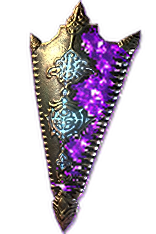
So we used the API to pull down the Foulborn art assets, and I was immediately underwhelmed by the quality. It turns out that the Trade API doesn't provide the same quality assets that the game files do. They are downscaled and compressed, likely to keep the trade site lightweight.
I solved this by having Codex build an upscaling pipeline using open source tools like OpenCV and NumPy. With a bit of experimentation, I got to something I was happy with.



Putting Everything Together
Once the above was sorted out, it was time to start connecting the pieces. I got the basic web app up and running with a stats panel, summary panel, and gear. I spent some time fine-tuning the layout, colors, font, and other details before moving on to the rest of the page.
At this point in the project, I was actually impressed with the front-end capability of Codex. Yes, this site is a fairly static layout, but if you have worked with these tools, you know their reputation when it comes to design work. Codex was able to fine-tune most of the details I cared about without too much nudging.
What I found most helpful was specifying the names of the elements I wanted to edit, which I could find easily with the Inspect Element tool in my browser.
I spent a week or two iterating from there, developing only locally for quite a while before getting anything deployed to a real site. I had not even thought of a domain name at that point, but I was making good progress.